A laptop that overheats during a lecture, loses Wi-Fi before an online exam, or stops booting before an assignment deadline creates more than a technical inconvenience. You will learn how to identify the likely fault, protect your academic data, compare repair options and quotes, and decide when repair is wiser than replacement.
Key takeaways
- Back up assignments and sign out before handing over your laptop.
- Ask for a written diagnosis before approving parts or labour.
- Compare total repair cost, warranty, turnaround time and data-handling practices.
- Choose repair when the fault is isolated and the laptop meets your needs.
How a laptop fault can disrupt student work
A laptop fault can turn a lecture, exam, internship task or assignment deadline into lost time. Slow booting, freezing, blue screens, missing Wi-Fi, overheating, sudden shutdowns and charging failures identify the next step more accurately than the laptop’s age alone.
| Symptom | Likely action | What it may indicate |
|---|---|---|
| Laptop runs hot, fan stays loud or shuts down during lectures | Cleaning or hardware repair | Blocked cooling, dried thermal paste or a failing fan |
| Broken keys, loose hinge, damaged charging port or faulty display | Part repair or replacement | Replaceable physical component, if the motherboard remains sound |
| Blue screens, failed updates, malware or Wi-Fi problems after Windows starts | Software fix | Driver, operating-system or application fault |
| Battery stops charging at 60–80%, drains quickly or causes shutdowns unplugged | Battery replacement | Worn cells; a swollen battery needs immediate service |
| Slow booting, freezes, corrupted files or a drive missing from the boot menu | Backup, SSD replacement or upgrade | Failing storage; SMART warnings do not guarantee continued operation |
| Repeated faults before Windows loads, liquid damage or a failed motherboard | Compare repair cost with replacement | Board-level damage can make repair uneconomical |
| Laptop cannot run required software, has unsupported hardware or needs frequent major repairs | Full replacement | Remaining life and performance no longer justify the expense |
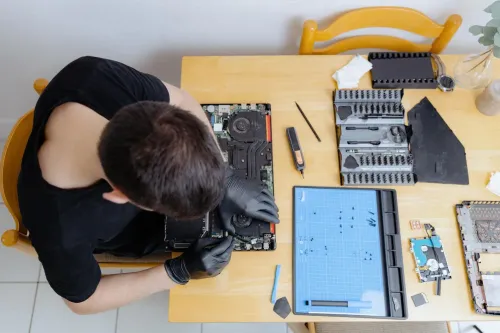
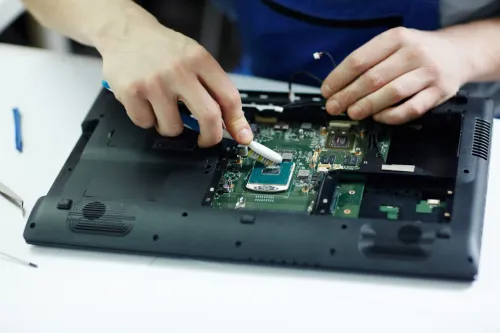
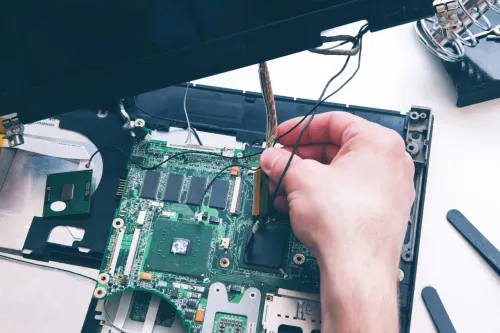
A documented diagnosis should reproduce the fault, test a known-good charger or display when relevant, and separate software issues from RAM, SSD, battery and motherboard failures. For professional laptop repair for students in pimple saudagar, ask for the exact model and compatible part number before approving work.
Student laptop repair pimple saudagar is worthwhile when the repair cost preserves reliable study time and data.
Why a documented diagnosis matters before parts are replaced
A technician should reproduce the fault before recommending a part. A written diagnosis should record whether it appears before Windows loads or only after startup, what error occurs, and whether the problem is repeatable. That evidence separates a software fix from a failed component.
- Reproduce the symptom with the student’s charger, battery and normal workload, then note shutdowns, freezes, blue screens or charging limits.
- Test startup before Windows loads to distinguish a boot-drive or motherboard fault from a Windows, driver or application problem.
- Try a known-good charger, display and compatible memory module when charging, screen or RAM symptoms point to those parts.
- Check the SSD’s SMART data, boot-menu detection and file errors; SMART warnings support a diagnosis but cannot guarantee that the drive will not fail.
- Confirm the exact laptop model, RAM generation and form factor, and whether an M.2 slot accepts SATA, NVMe or only one interface.
This process protects students seeking laptop repair Pimple Saudagar from paying for a part that merely fits physically. A written quote should identify whether the replacement is new, refurbished or pulled from another machine, along with its part number, total cost and repair warranty.
The diagnosis should also separate part replacement, board-level repair and data-recovery charges. Replacing a keyboard, fan or SSD can make sense; replacing a failed motherboard may cost more than the laptop’s remaining useful life. Ask for the original drive back and require approval before any data erasure.
How to protect assignments and personal data before repair
Back up assignments before handing over the laptop, then verify that the copies open from another device. Use an external drive and cloud storage, sign out of Google and Microsoft accounts, and remove unnecessary personal files. Photograph existing scratches, the serial-number label, charger and accessories so the intake record is accurate.
- Ask whether the shop will create a backup or drive image before repair, especially if the SSD shows slow booting, freezes, corrupted files or disappears from the boot menu.
- Ask whether technicians need your Windows password. Create a temporary local account with limited access where possible, and authorise access only to the files required for diagnosis.
- Confirm that no files will be erased, the operating system reinstalled or the drive formatted without your written approval. Ask whether the original drive will be returned if storage is replaced.
- Check Windows Device Encryption or BitLocker before submission. Save the recovery key from your Microsoft account or organisation portal; a motherboard, firmware or SSD change can trigger a recovery-key request.
- Ensure the intake note records the laptop’s condition, reported fault, accessories, backup status and permission for data access.
A professional student laptop repair Pimple Saudagar provider should explain these controls before work begins. The same questions apply when comparing laptop service Pimple Saudagar options: restoring a laptop is not a successful repair if your assignments or private files are lost.
How to compare repair routes and affordable quotes
Compare routes by total cost, expected remaining life, data handling, turnaround, warranty and compatibility—not by the cheapest first number. A documented diagnosis should reproduce the fault and separate software trouble from RAM, storage, battery, display or motherboard failure.
| Route | Main advantage | Check before choosing |
|---|---|---|
| Professional workshop | Fault testing and repair options | Written diagnosis, exact part compatibility, repair warranty |
| Campus technician | Convenient for urgent coursework | Whether parts, data protection and post-repair testing are documented |
| Informal repairer | Possibly lower labour cost | Technician’s experience, part source, receipt and warranty |
| Manufacturer service | Brand-specific procedures and parts | Out-of-warranty price, turnaround and whether board replacement is the only option |
| Replacement laptop | No repair delay or recurring fault | Total purchase cost, data transfer and the useful life of your current machine |
A quote for affordable laptop repair Pimple Saudagar should identify the exact model and part number, labour, taxes, diagnostic or data-recovery charges, turnaround time and warranty period. It must say whether the part is new, refurbished or pulled from another laptop.
Ask whether the repair includes testing fan operation, heatsink contact and temperatures under load; thermal paste alone will not cure a failed fan.
Confirm that RAM generation and form factor match, and that an M.2 SSD supports your laptop’s SATA or NVMe interface. Searches for laptop repair Pimple Saudagar should also ask whether the original drive is returned and whether data is erased only with written approval.
Laptop Plus - Complete Laptop Service & Rental is one local option to ask for that diagnosis and itemised quote before authorising work.
Related products
LAPTOP REPAIRING Committed to giving our clients, a solution that best fits their needs, the laptop repairs at Laptop+ are Fast, Reliable and Expert. View product → |
Laptop Servicing Thorough exterior and interior cleaning for optimal performance. Dust and debris removal from vents and cooling fans. View product → |
When professional repair is safer and more practical than replacement
Trust a repair only after the technician reproduces the fault and records whether it appears before or after Windows starts. Professional laptop repair for students in Pimple Saudagar should separate software trouble from RAM, SSD, battery, display, charger and motherboard faults instead of guessing from one symptom.
Ask for these checks before approving the work:
- A known-good charger, display or battery test where relevant, plus a written diagnosis.
- The exact laptop model, part number and interface check for every replacement. RAM form factor and generation must match; an M.2 slot may accept SATA, NVMe or only one type.
- Cooling checks covering fan operation, heatsink contact, blocked vents, thermal compound and temperature under load. Before-and-after temperatures or fan results prove more than the word “serviced.”
- A data plan stating whether the drive is backed up or imaged, whether the original drive will be returned and whether erasure requires your written approval.
- A parts warranty and a separate price for board-level repair, replacement parts and data recovery.
Stop charging or pressing a visibly swollen battery; it can rupture or ignite. A technician must isolate it and fit the correct replacement, never flatten or reuse it.
Replacement makes more sense when liquid damage or a failed system board approaches the laptop’s value, repair cost exceeds its expected remaining life, or essential parts are unavailable. A keyboard, fan, DC jack, battery or SSD usually supports repair; compare total cost and reliability through laptop service Pimple Saudagar, not just the cheapest quoted part.
Frequently asked questions
How can a laptop fault disrupt a student’s work?
Slow booting, freezing, blue screens, missing Wi-Fi, overheating, shutdowns and charging failures can interrupt lectures, exams, internships and assignment deadlines.
Why request a documented diagnosis before replacing parts?
A written diagnosis identifies the failed component, explains the symptoms, separates testing from repair and helps you compare quotes without paying for unnecessary replacements.
How can students protect assignments and personal data before repair?
Back up assignments to an external drive or trusted cloud account, sign out of accounts, remove sensitive files when possible, record the device condition and provide only the access needed for testing.
When is professional repair safer than replacing a laptop?
Repair is practical when the fault is limited, the laptop still meets your software and performance needs, and the complete repair cost is reasonable compared with replacement.
Keywords