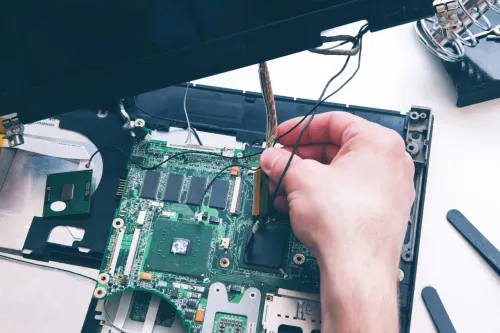
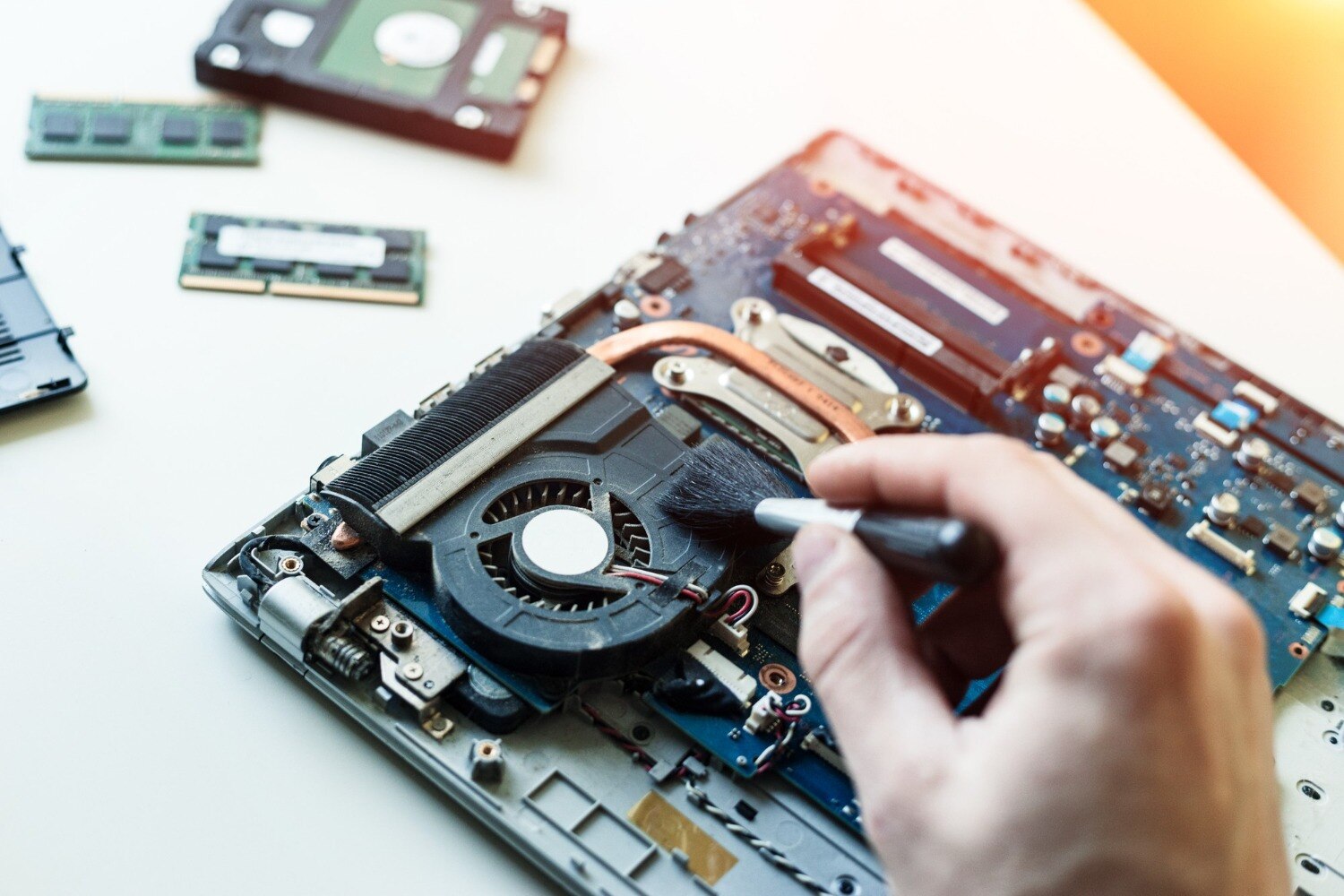
Heat, humidity and sudden exposure to rain can turn a minor laptop symptom into fan, battery, charging, keyboard or motherboard damage. You will be able to separate problems that need safe user action from faults that require inspection, avoid worsening liquid or heat damage, and prepare useful information before visiting a repair centre.
Key takeaways
- Seek repair when a weather-linked fault repeats, worsens, or creates a safety risk.
- Warmth during ordinary work alone does not prove overheating damage.
- After a spill, shut down, unplug, and avoid restarting the laptop.
- Ask the technician to check corrosion, condensation, fans, battery, and charging circuits.
Which seasonal laptop symptoms justify professional repair?
Professional repair is justified when a seasonal symptom repeats, worsens, or creates a safety risk; feeling warm during ordinary work alone is not enough. For readers searching for seasonal laptop for repair services in Pune, the threshold is a repeatable weather-linked fault, not a calendar date.
| Symptom or timing | What it suggests | Action |
|---|---|---|
| Repeated shutdowns during gaming, rendering or charging | Thermal or power-protection limit | Stop repeated use and arrange diagnosis |
| Burning smell or fan grinding | Failing electrical part or fan | Shut down and seek repair |
| Charging cuts in and out | Damaged charger, socket or power circuit | Stop bending the cable; inspect professionally |
| Rain exposure followed by restarts, USB faults or display problems | Liquid contamination or corrosion | Power off; do not keep testing |
| Raised trackpad or separating case | Swollen battery | Stop using and charging immediately |
| Visible corrosion around ports | Moisture damage | Arrange internal inspection |
Note when the fault appears: during gaming, video rendering, charging, travel in rain, or moving from air-conditioning into humid air. Rising temperatures, reduced airflow and unusual fan noise justify preventive servicing; an automatic monsoon appointment does not.
Back up important files while the laptop still works, and ask whether service will affect the storage drive or motherboard. If the case is bulging or shutdowns keep occurring, leave it powered off. Never puncture, press, compress or continue charging a swollen battery; battery handling requires professional repair.
How can you tell when summer heat needs overheating repair?
A laptop needs overheating repair when heat causes instability, not merely because its palm rest feels warm. Sudden shutdowns, thermal throttling, temperature warnings, a fan that stays loud, a hot palm rest or repeated performance drops are clear warning signs.
A failure only during gaming, rendering or charging can indicate a thermal or power-protection limit; repeated shutdowns risk data loss and further component damage.
- Shut the laptop down, disconnect the charger and move it to a hard, level surface. Let it cool naturally. Never put it in a refrigerator or direct condensation-producing cold air at it.
- Note when the fault appears: during gaming, video rendering, charging or ordinary work. Check whether direct sunlight, a bed or sofa, or a hot room coincides with the failure.
- Ask for a diagnosis covering temperatures under load, fan operation, intake and exhaust airflow, CPU and GPU utilisation, heatsink contact and battery condition.
Summer heat can expose blocked vents, dust in the fan and heatsink, a failing fan, a high-background CPU or GPU process or a swollen battery. Dried thermal paste is one possibility, not an automatic answer.
A search for laptop overheating repair in pune should lead to testing before anyone replaces paste, a fan or a motherboard. A fan running loudly alone does not prove which part has failed.
What should you do after rain, a spill or monsoon humidity exposure?
Liquid exposure warrants monsoon laptop repair in Pune when rainwater, a drink, food residue or dirty water reaches the keyboard, ports, vents or laptop bag—even if the case feels dry. After evaporation, deposits can corrode contacts or create conductive paths.
Keyboard failure, intermittent charging, USB faults, display problems, random restarts or a laptop that works only sometimes after a wet journey all need inspection.
- Disconnect the charger and remove USB devices, headphones, memory cards and other accessories.
- Shut the laptop down if you can do so safely.
- Do not keep pressing the power button to test whether it still works.
- Avoid rice, direct sunlight, hairdryers and improvised heating; particles can remain inside, moisture can move deeper, and heat can damage components.
- Keep the laptop powered off if moisture is visible, or if it became unstable after rain or a spill.
A technician may need to open the chassis, disconnect the battery and inspect the charging socket, USB ports, keyboard area, hinge openings and motherboard for oxidation or residue. Cleaning and board testing matter more than simply reinstalling Windows.
A laptop that starts normally after drying can still fail later, because corrosion and conductive residue continue damaging contacts days or weeks after the exposure.
How do humidity and condensation differ from ordinary laptop faults?
Humidity-related damage usually follows rain, a damp commute or a sudden environmental change, while ordinary faults develop without that trigger. For laptop service during weather problems in Pune, look for linked symptoms rather than one isolated failure.
| Pattern | Clues | Likely direction |
|---|---|---|
| Humidity or liquid exposure | Keys fail after rain; charging works only at an angle; new USB faults; flickering or blank display; oxidation around ports; random restarts | Inspect for residue, corrosion and board damage |
| Dust buildup | Gradually weaker airflow and persistent fan noise | Clean the fan, heatsink and vents |
| Battery fault | Short runtime, swelling or a raised trackpad | Check or replace the battery |
| Charger fault | Charging cuts out without keyboard or display symptoms | Test the adapter, cable and charging socket |
| Software problem | Fault changes with an application, driver or operating-system activity | Troubleshoot software before replacing hardware |
Condensation deserves the same caution as liquid exposure. A cold laptop moved from a heavily air-conditioned room into hot, humid outdoor air can collect moisture on its case, ports and internal surfaces, especially inside a rain-soaked bag. Keep it powered off while the exterior and ports dry, and let it reach room temperature naturally.
If moisture is visible or suspected inside the chassis, do not choose a universal waiting time or switch it on for a test; arrange an inspection first.
What should you ask for during a weather-related repair visit?
Give the repair centre a precise timeline: when the laptop encountered rain, a spill, heat or condensation; whether it was powered on while wet; which charger was connected; which shutdown, charging, keyboard or display symptom appeared; and whether your files are backed up. These details help separate a wet-board fault from an ordinary software problem.
| Fault to investigate | Clues to report | What the inspection should establish |
|---|---|---|
| Liquid contamination | Wet exposure, delayed faults, corrosion, failed keys or ports | Whether residue reached the board and caused short circuits |
| Overheating | Shutdowns during gaming, rendering or charging; fan noise | Fan, heatsink, airflow and thermal protection condition |
| Battery swelling | Raised trackpad, bulging case or rapid shutdowns | Whether the battery must be isolated and replaced |
| Adapter failure | Charging cuts in and out or works only with one charger | Charger, cable and charging-socket condition |
| Software fault | Problem follows an application or Windows activity | Whether hardware tests pass before reinstalling Windows |
Ask the technician to inspect the charging socket, USB ports, keyboard area, hinge openings, fan, heatsink, battery and motherboard—not only reinstall Windows. Ask whether the work will touch the storage drive or motherboard, and state that ordinary repair is not guaranteed data recovery.
- If the laptop still starts, back up documents before non-emergency servicing.
- If it smells burnt, is swollen or repeatedly shuts down, leave it powered off.
- Laptop Plus - Complete Laptop Service & Rental is a practical local option for laptop service during weather problems in Pune, including deciding between repair, part replacement and data-focused recovery for seasonal laptop for repair services in Pune.
Related products
Laptop Servicing Thorough exterior and interior cleaning for optimal performance. Dust and debris removal from vents and cooling fans. View product → |
LAPTOP REPAIRING Committed to giving our clients, a solution that best fits their needs, the laptop repairs at Laptop+ are Fast, Reliable and Expert. View product → |
Frequently asked questions
Which seasonal laptop symptoms justify professional repair?
Seek professional repair when a weather-linked symptom repeats, worsens, causes shutdowns, prevents charging, produces a burning smell, or creates a safety risk.
How can you tell when summer heat needs overheating repair?
Heat-related repair is warranted when the laptop repeatedly shuts down, throttles severely, shows fan errors, or becomes unusually hot during ordinary workloads. Warmth alone is not enough.
What should you do after rain, a spill or monsoon humidity exposure?
Shut down the laptop, disconnect the charger, remove accessories, and do not restart it. Take it for inspection, especially after liquid contact or visible moisture.
How do humidity and condensation differ from ordinary laptop faults?
Humidity and condensation can cause intermittent keys, charging failures, display issues, corrosion, or startup problems after exposure. The timing after wet weather helps distinguish them from unrelated faults.
What should you ask for during a weather-related repair visit?
Ask the technician to inspect liquid indicators, corrosion, condensation, fans, vents, battery, charging circuit, keyboard, and motherboard, then explain which parts need repair or replacement.
Related product
DESKTOP REAPIRING Let’s face it; repairing a desktop is a difficult task. However, with our state of the art pre and post care repairing services, your desktop... View product → |
Keywords