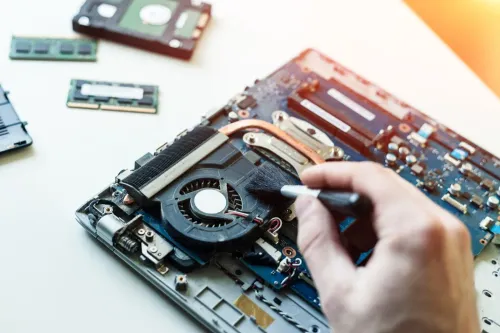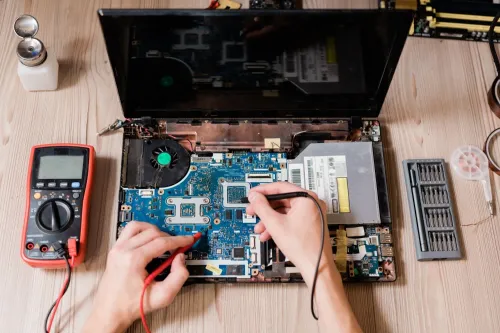
A slow or faulty laptop can have a software problem, a failing drive, insufficient memory, heat-related throttling, a damaged charging path, or a deeper hardware fault. By following a symptom-led check, protecting your data, and comparing repair evidence with replacement cost, you can decide what to do before handing over the device.
Key takeaways
- Check Task Manager for high CPU, Memory, and disk use.
- Back up important files before handing over a faulty laptop.
- Ask for a written diagnosis, parts list, warranty, and final price.
- Replace the laptop when repair cost and repeated faults outweigh its value.
What does your laptop’s symptom suggest?
Slow startup or delayed application launches point first to excessive startup programs, low free storage, or a mechanical hard disk—not automatically to a virus. Check Task Manager: high Memory use suggests insufficient RAM, while sustained high CPU use alongside rising temperature suggests thermal throttling.
- Freezing, blue screens, or random restarts need separate memory and storage checks; Windows Memory Diagnostic can examine RAM, while drive-health indicators can warn of storage failure.
- Fan noise, overheating, or sudden shutdowns indicate a cooling or power fault. Dust, a blocked heatsink, failed fan, or thermal throttling can make a laptop slow after it warms up.
- Charging failure can involve the charger, cable, DC-in jack, USB-C port, charging circuit, or battery. Test the complete charging path rather than replacing the battery immediately.
- Poor Wi-Fi can result from a driver, router, antenna, or wireless-card fault, so test another network before blaming the laptop.
- Keyboard failures need input-hardware tests; lines, black areas, or flickering on the display need separate screen, cable, graphics, or motherboard checks.
A symptom identifies the most likely fault category, not a guaranteed diagnosis. Laptop troubleshooting nigadi searches should lead to symptom matching, reproduction, and testing. For laptop repair nigadi enquiries, provide the exact timing, error message, and conditions—such as startup, charging, heavy use, or warming—so the technician can test the right component instead of guessing.
What can you check before booking laptop repair?
Before booking laptop repair services in Nigadi, reproduce the fault and record exactly when it occurs. Note whether it appears after startup, while charging, under sustained load, or only after the laptop warms up. This record makes laptop troubleshooting Nigadi enquiries more useful.
1. Open Task Manager and check CPU, Memory, Disk, and Startup usage. Disable only unnecessary applications marked with high startup impact; do not disable security or hardware utilities without knowing their purpose.
2. Check free space on the Windows system drive. Updates, temporary files, paging, and recovery operations need room, and a nearly full drive can make a healthy laptop sluggish.
3. Install pending Windows Updates and restart the laptop. Disconnect USB hubs, external drives, docks, printers, and monitors, then check whether the fault disappears when an accessory is removed.
4. Test a known-compatible charger and check whether Windows detects AC power. A charging fault can involve the charger, cable, DC-in jack, USB-C port, charging circuit, or battery.
5. Check for blocked vents, hot surfaces, fan surging, or slowdown after several minutes. Run Windows Memory Diagnostic for suspected RAM faults and review drive-health evidence, but do not treat a clean result as proof that your data is safe.
6. Use Microsoft Defender Offline for suspected persistent malware because it scans outside the normal Windows environment.
Stop immediately if the laptop smells burnt, sparks, becomes dangerously hot, or shows physical damage.
Should you stop using the laptop, repair it, or replace it?
Stop using the laptop and disconnect power if the battery is swollen, the charger sparks, you smell burning, liquid has entered the device, shutdowns repeat, or the storage drive makes clicking noises. Do not squeeze or puncture a swollen battery, and do not keep charging it.
| Option | Choose it when | Main risk or check |
|---|---|---|
| Stop using | There is a safety warning or possible drive failure | Continued use can cause fire, board damage, or reduce data recovery chances |
| Repair | The fault is isolated, parts are available, and the written cost suits the laptop’s remaining service life | Confirm diagnosis, parts, labour, data work, taxes, and repair warranty |
| Replace | Several major parts are failing, or repair approaches the value of a newer supported machine | Compare total cost, battery condition, operating-system support, and upgrade limits |
An SSD upgrade can reduce boot and application-launch delays when a healthy mechanical hard disk is the bottleneck. It will not fix overheating, faulty RAM, malware, or a processor that is throttling.
Before approving laptop repair Nigadi, compare the machine’s age, total repair cost, memory and storage limits, battery condition, and replacement-part availability. Windows 11 requires a compatible 64-bit processor running at 1 GHz or faster with two or more cores, 4 GB RAM, and 64 GB storage.
Those are minimums, not a comfort target; 4 GB becomes restrictive during modern multitasking.
Choose replacement when the laptop remains unreliable after a reasonable repair, or when its supported-life and performance limits make further spending poor value.
How should you prepare your data and brief the technician?
Protect your files before handing over the laptop. Copy them to a separate physical drive or cloud location; another folder on the same drive is not a backup. For irreplaceable data, use 3-2-1: three copies, on two media types, with one copy off-site.
1. Sign out of email, banking, cloud storage, browsers, and messaging accounts where practical. Ask whether the technician needs your password, whether a temporary standard account will work, and whether your files will remain untouched. A standard account limits exposure but cannot support every administrator-level or hardware diagnosis.
2. Photograph the laptop’s visible condition, record its serial number, and list every accessory handed over, including the charger. Note the charger’s wattage and connector type.
3. Brief the technician with the brand, exact model, operating system, error message, timing and frequency of the fault, recent software or hardware changes, and backup status. Report liquid exposure, cracks, dents, or other physical damage.
4. If the drive clicks, disappears, reports errors, or shows failing-health evidence, stop repeated use. Ask whether the proposed work is routine file copying, a logical recovery attempt, drive cloning, or specialist hardware recovery; continued use can reduce recoverability.
Clear notes improve laptop troubleshooting Nigadi decisions and help laptop repair services in Nigadi distinguish diagnosis from data recovery before work begins. A SMART result is warning evidence, not proof that your files are safe.
What should you ask a Nigadi repair centre before approving work?
A written estimate is the starting point for comparing computer service Nigadi providers. Before approving work, ask:
1. Is there a diagnosis fee, and when will you receive the estimate? It should separate diagnosis, parts, labour, data transfer or recovery, operating-system installation, taxes, and other charges.
2. What replacement part will be fitted? Ask whether it is new, refurbished, or compatible, and how long the repair warranty lasts. A cheaper compatible battery or screen is not equivalent to a new original part.
3. What is the expected turnaround time, and how will the centre protect your data? Confirm whether a password is required, whether a temporary standard account is acceptable, and what happens if you decline the quotation.
4. For an SSD replacement, does the price include data migration? If the drive is failing, ask whether the work is routine copying, a logical recovery attempt, cloning, or specialist hardware recovery.
5. For charging faults, will technicians test the charger, cable, DC-in jack or USB-C port, charging circuit, and battery? Replacing only the battery can leave the fault untouched.
6. For overheating, will they measure temperatures and performance under sustained load? Thermal paste alone cannot fix a failed fan or blocked heatsink.
Laptop Plus - Complete Laptop Service & Rental is one centre to include in a laptop repair services in Nigadi comparison; judge it by the same written evidence.
At collection, reproduce the fault and test charging, keyboard, trackpad, display, Wi-Fi, speakers, webcam, ports, sleep and wake, plus sustained performance where overheating was reported. Booting alone proves little.
Related products
Laptop Servicing Thorough exterior and interior cleaning for optimal performance. Dust and debris removal from vents and cooling fans. View product → |
LAPTOP REPAIRING Committed to giving our clients, a solution that best fits their needs, the laptop repairs at Laptop+ are Fast, Reliable and Expert. View product → |
Frequently asked questions
What does a slow laptop symptom suggest?
Slow startup and delayed apps often result from too many startup programs, low free storage, or a mechanical hard disk. High Memory use points to insufficient RAM, while sustained high CPU use with rising temperature suggests thermal throttling.
What should you check before booking laptop repair in Nigadi?
Check Task Manager, free storage, startup programs, charger operation, battery behaviour, overheating, and whether the problem occurs in Safe Mode. Back up important files before service.
When should you repair a laptop instead of replacing it?
Repair a laptop when the fault is limited to a serviceable part and the repair cost suits the device’s age and condition. Consider replacement after repeated failures, major motherboard damage, or a repair cost close to a newer laptop’s price.
What should you ask a Nigadi repair centre before approving work?
Ask for the diagnosis, exact parts to be replaced, labour charges, total price, turnaround time, data-handling process, and written warranty terms. Confirm whether replaced parts will be returned to you.
Related product
DESKTOP REAPIRING Let’s face it; repairing a desktop is a difficult task. However, with our state of the art pre and post care repairing services, your desktop... View product → |
Keywords