A laptop that crashes, overheats, refuses to charge, or starts slowly does not automatically need replacement. By matching each symptom to the right service, preparing your device properly, and comparing repair providers on more than price, you can protect your data, restore daily access, and spend money where it produces a real improvement.
Key takeaways
- Repair preserves your files, applications, settings, and familiar hardware.
- Stop using a laptop with swelling, burning smells, liquid damage, or repeated shutdowns.
- Match the provider to the fault: hardware, software, data, or charging issue.
- Request a diagnosis, written estimate, warranty terms, and data-handling details before approval.
Why Repairing Your Laptop Can Be Better Than Replacing It
Repairing an everyday laptop can restore access to work files, classes, online payments, email, and communication without forcing you to move data to another computer. You keep your installed applications, saved settings, browser preferences, and familiar keyboard instead of reinstalling software, recreating accounts, learning a new operating system, and transferring files.
The benefits of laptop repair services in Bhosari include extending useful life through a targeted component replacement:
- Replace a failing SSD to restore storage reliability and improve startup performance.
- Replace a worn battery to recover portable use.
- Replace a damaged keyboard, display cable, or charging port to restore essential functions.
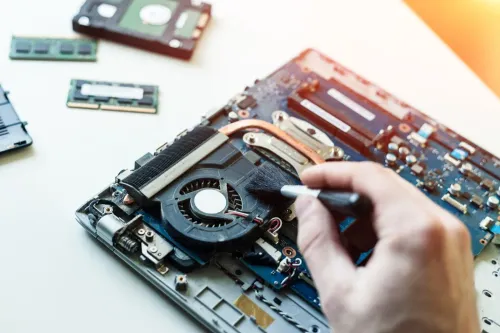
- Repair the cooling system when dust or a failed fan causes overheating and shutdowns.
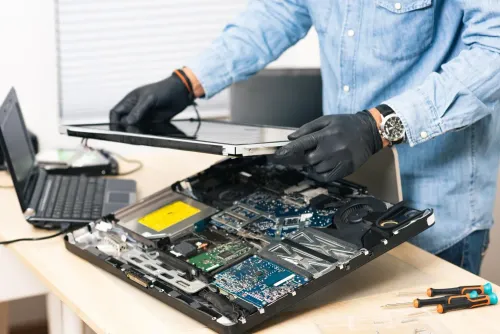
A local laptop repair Bhosari technician can test a known-good charger and separate a charger, DC jack, battery, RAM, storage drive, display cable, or motherboard fault. A no-power symptom does not prove that the motherboard failed, so diagnosis can prevent an unnecessary high-cost replacement.
Buying another laptop becomes more sensible when the motherboard has extensive damage, compatible parts are unavailable, expensive failures keep returning, or the current model cannot run your required software. Compare the repair cost and downtime with the value of your data, working setup, and remaining usable life before deciding.
Laptop Symptoms: What You Can Check and When to Stop Using It
Repeated crashes, slow startup, overheating, charging faults, broken hinges, keyboard failures, display problems, and malware-like behaviour justify professional troubleshooting. Start with checks that do not require opening the laptop: test another power outlet, reseat the charger, inspect visible cable damage, raise brightness, try an external display, check free storage, and review startup applications.
| Symptom | Safe first check | Stop using it when |
|---|---|---|
| Repeated crashes | Note error messages and recent software changes | Shutdowns repeat or files become inaccessible |
| Slow startup | Check storage space, startup apps, and malware indicators | The drive clicks, freezes, or causes data loss |
| Overheating | Clear vents and place the laptop on a hard surface | It becomes severely hot or shuts down |
| Charging failure | Test the outlet, charger connection, and visible cable damage | The port sparks, smells burnt, or has exposed wiring |
| Broken hinge or keyboard fault | Stop forcing the lid or stuck keys | The case separates or wiring becomes exposed |
| Display problem | Adjust brightness and test an external display | Flickering follows movement or the panel cracks |
| Battery swelling | Power off and arrange urgent service | A raised trackpad or bulging case appears |
| Liquid spill | Disconnect the charger immediately | Do not switch it on repeatedly or rely on exterior drying |
| Malware behaviour | Disconnect from sensitive accounts and record pop-ups | Strange payments, encryption, or persistent control appears |
For laptop troubleshooting Bhosari, power off immediately after a spill, burning smell, sparking port, exposed wiring, severe heat, repeated shutdown, or swollen battery. Delay risks corrosion, heat damage, worsening hinges or ports, data loss, and interruptions to work, study, payments, or communication.
Choose the Service That Matches the Fault
Cleaning, servicing, repair, upgrades, operating-system troubleshooting, and data recovery solve different problems.
| Service | What it means | When it applies |
|---|---|---|
| Cleaning | Removes visible dirt and internal dust | Dusty vents, fans, or keyboard |
| Servicing | Inspection and preventive checks | Routine maintenance or uncertain symptoms |
| Repair | Restores a failed component or connection | Broken port, cable, fan, hinge, or battery circuit |
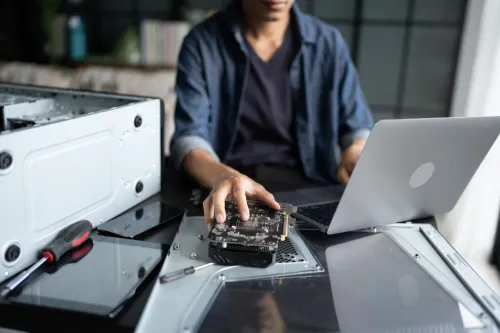
| Upgrade | Adds or replaces RAM, storage, or another compatible part | More memory, capacity, or faster storage is needed |
| Operating-system troubleshooting | Addresses drivers, startup faults, malware, corrupted files, Safe Mode, Startup Repair, System Restore, or a data-preserving fix | Windows crashes, fails to boot, or behaves incorrectly |
| Data recovery | Attempts to retrieve files from a failing or unreadable drive | The drive is inaccessible, clicking, or showing read errors |
Slow performance does not prove a bad CPU. A laptop service Bhosari provider should check free storage, startup load, malware indicators, memory pressure, drive health, and thermal behaviour before recommending a processor or motherboard.
Back up files before reinstalling Windows. A reset can remove applications and personal data; Startup Repair, System Restore, Safe Mode, driver rollback, or malware removal may fix the fault without erasing your setup. A laptop troubleshooting Bhosari assessment should protect data before testing.
Cleaning cannot fix a worn fan bearing, damaged heat pipe, failed port, swollen battery, or broken hinge. Those faults need repair or part replacement, not another dust removal.
Prepare Your Laptop and Compare Bhosari Repair Providers
Back up critical files before visiting a laptop repair Bhosari provider. Bring the charger and any unusual adapter, record the exact model number, photograph visible damage, save error messages, and note precisely when the fault occurs—during startup, charging, sleep, or a particular application.
A guest login protects personal data when possible; confirm whether the technician is authorised to open your files.
Keep your Windows device-encryption or BitLocker recovery key separately from the laptop. A motherboard or storage change can trigger recovery, and the laptop may remain inaccessible without that key.
Compare providers using this checklist:
| Criterion | Ask for | Why it matters |
|---|---|---|
| Diagnostic process | A reproducible symptom record, known-good tests, logs, and component isolation | Prevents several parts being replaced without proving the fault |
| Estimate and part | A written estimate naming the part and stating manufacturer-approved, refurbished, or third-party classification | Exposes capacity, connector, compatibility, and warranty differences |
| Protection | Data-privacy handling, access limits, warranty length, and coverage | Reduces disputes if files or the repaired fault are affected |
| Completion terms | Expected turnaround, escalation options, and whether replaced parts are returned | Clarifies delays, unresolved faults, and ownership |
A laptop service Bhosari provider should explain each test before recommending work. Laptop Plus - Complete Laptop Service & Rental can be one local option to evaluate against these criteria, rather than choosing only by proximity or the lowest quote. “Affordable laptop repair Bhosari” should mean lower total risk, not merely the cheapest part.
Measure the Value of an Affordable Repair After Handover
A repair is affordable only when it lowers your total cost, not merely the part price. For affordable laptop repair bhosari, compare the following before approving the work:
| Check | Lowest-price part | Better-value question |
|---|---|---|
| Capacity | Smaller SSD or battery | Does it provide enough storage or runtime? |
| Connector type | May not fit securely | Does it match the laptop’s port and cable? |
| Firmware compatibility | May cause detection or boot errors | Is it compatible with the model and BIOS? |
| Endurance and safety | Shorter life or uncertain battery protection | What operating life and safety controls apply? |
| Warranty | Limited or unclear coverage | How long is the part and labour covered? |
| Downtime | Faster installation may mean a second visit | When will testing and handover finish? |
| Second-repair risk | A poor match can fail again | Has the original fault been isolated? |
Ask whether the quote includes diagnosis, labour, data handling, testing, and taxes. If several parts are recommended, require an explanation showing which tests identified each failed component; replacing parts without isolation increases cost.
At collection, test:
- Charging, battery operation, keyboard, touchpad, display brightness, webcam, microphone, and speakers
- Wi-Fi, Bluetooth, every USB port, sleep and wake
- The replaced component under normal use
A written invoice naming the part, work completed, and warranty gives you evidence if the original symptom returns. It also supports a fair follow-up with a laptop service bhosari provider.
A well-chosen repair preserves familiar software and files, cuts setup time, keeps a usable laptop working, and gives you clearer evidence for deciding when replacement is finally worthwhile.
Frequently asked questions
Why can repairing a laptop be better than replacing it?
Repair keeps your files, installed applications, saved settings, browser preferences, and familiar keyboard, avoiding migration and software reinstallation.
Which laptop symptoms mean you should stop using the device?
Stop using it for swelling, burning smells, liquid damage, sparking, severe overheating, repeated shutdowns, or a damaged charging port.
How do you choose a laptop repair service in Bhosari?
Match the provider’s expertise to the fault, then compare diagnosis steps, written estimates, turnaround time, warranty coverage, and data-handling practices.
How can you judge whether an affordable laptop repair was worthwhile?
Check that the original fault is resolved, essential ports and functions work, your data remains accessible, and the provider explains any remaining limitations.
Keywords