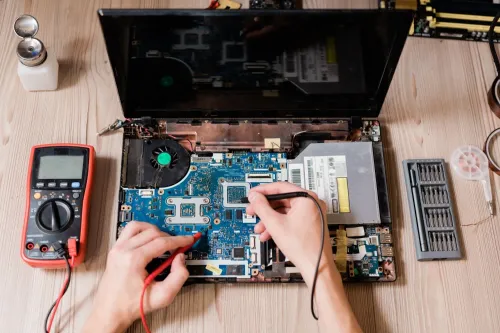
A laptop that will not start can have a dead charger, a blank display, failed RAM, a damaged SSD, corrupted Windows files, or a motherboard fault. By the end, you will be able to identify the failure state, perform safe checks, protect your files, and give a Pimpri repair centre the details needed for the right diagnosis.
Key takeaways
- Record whether the laptop shows power, lights, an image, or Windows before troubleshooting.
- Test the charger, display, and startup response to separate power, hardware, and Windows faults.
- Back up files, remove passwords where possible, and document the fault before service.
- Check charging, display, keyboard, ports, files, and repeated startups before collection.
Identify the boot state before you try a fix
Pressing the power button gives you a diagnostic clue. Note whether the laptop never powers on, shows lights but no image, stops before Windows, or reaches Windows and fails.
The eight useful boot states are:
- No power or no LEDs: suspect the charger, battery, DC jack, or motherboard power.
- Power with no display: lights or fan run, but the screen stays blank.
- Manufacturer-logo freeze: the laptop stops before Windows begins.
- Spinning-circle loop: Windows starts loading but never finishes.
- Repeated Automatic Repair: recovery launches repeatedly without restoring startup.
- Blue-screen failure: Windows stops with a blue error screen.
- “Operating System Not Found”: firmware cannot locate a bootable system.
- BIOS/UEFI instead of Windows: firmware opens rather than the operating system.
A failure before the manufacturer logo points toward power, POST, RAM, motherboard, or display faults. A failure after the logo points toward the SSD or hard drive, bootloader, drivers, or operating system.
For a laptop not booting Pimpri triage, follow this order:
- Check the charger, charging LED, and power LED.
- Unplug USB drives, printers, docks, and memory cards.
- Shut down, disconnect power, remove the battery if removable, hold the power button for 15–30 seconds, then reconnect power.
- Test an external monitor.
- Record beep codes, diagnostic LED patterns, and exact on-screen wording.
Stop powering on after liquid exposure, a burning smell, hard-drive clicking, battery swelling, or severe heat.
Work out whether the fault is power, display, hardware, or Windows
A blank screen is not automatically a Windows failure. Check whether the laptop has power before blaming the operating system.
| Fault | Clues | Likely direction |
|---|---|---|
| Charging or power | No charging indicator, no power LED, or immediate shutdown | Charger, battery, DC jack, or motherboard power circuit |
| Screen | Keyboard lights, fan activity, or an external monitor still works | Display panel, cable, backlight, or graphics output |
| Windows or storage | Manufacturer logo appears, then Windows fails | SSD, boot files, drivers, or installation |
A failed POST occurs before Windows starts. Loose or faulty RAM, a motherboard fault, or an overheating shutdown can stop POST; reinstalling Windows cannot repair a machine that never completes it.
Use BIOS/UEFI as the boundary. If firmware detects no internal SSD, investigate its connection, the drive, the slot, or a replacement drive. If firmware detects the SSD but Windows does not start, investigate EFI boot files, the file system, drivers, or the Windows installation.
Safe Mode is a limited test for a recently installed driver or startup program, not proof that hardware is healthy. Run vendor pre-boot diagnostics instead, such as Dell’s hardware assessment and its error code, or the equivalent test from Lenovo, HP, ASUS, and Acer.
For laptop repair services in Pimpri for boot problems, record:
- Whether BIOS detects the SSD
- Safe Mode and external-display results
- Diagnostic codes, fan behaviour, and recent overheating
- The exact Windows error
Do not switch UEFI/GPT to Legacy/CSM as a universal fix. Changing boot mode can make an installation configured for the other mode unbootable.
Understand what laptop startup repair will actually involve
A technician first proves whether the laptop fails in hardware or Windows. For laptop startup repair Pimpri, the record should show these checks:
1. Measure charger output voltage, inspect the DC jack, and test battery condition. A dead charging circuit can mimic a Windows failure.
2. Reseat the RAM and record the memory-test result. A failed POST from loose or faulty RAM will not improve after Windows reinstallation.
3. Check SSD or hard-drive health, including SMART warnings, read errors, and detection in BIOS/UEFI. Image or clone a mechanically failing hard disk before repeated repairs or intensive scans.
4. Verify BIOS settings, UEFI mode, and boot order. Confirm display output on the laptop panel and an external monitor, then test motherboard power rails if power reaches the board.
Software startup repair is appropriate after hardware passes and Windows reaches the manufacturer logo but cannot load. Windows Recovery Environment and Startup Repair can address selected damaged Boot Configuration Data and incompatible startup files. BCDBoot can rebuild BCD, but the technician must identify the correct EFI/System partition first.
This cannot cure a dead motherboard, failing storage hardware, malware in every case, or every blue-screen error. The repair record should name Startup Repair, BCDBoot, boot-sector repair, file-system repair, driver rollback, or Windows reinstallation.
Do not approve formatting before checking drive health and data needs: it can erase files, while a failing SSD may appear fixed briefly before deteriorating.
Prepare your files and service request before handing over the laptop
Give the repair centre the laptop brand and exact model, Windows version, exact error text, recent Windows update or software installation, liquid exposure, drops, unusual heat, and whether your data is backed up. State clearly: “Diagnose it before formatting.”
- Locate the BitLocker recovery key before handing over the laptop. A TPM, firmware, boot-manager, or partition change can trigger a recovery-key screen while the files remain intact.
- Ask whether the drive will be cloned before partition repair or Windows reinstallation.
- Ask for the SSD or hard drive health result in writing, including any SMART warning or failed diagnostic test.
- Ask whether important readable files can be copied to a separate drive before repair.
- Do not accept claims that BitLocker can be bypassed without the recovery key or original unlock credentials.
Compare laptop repair services in Pimpri for boot problems by diagnostic scope, not only by the promise that Windows will start.
| Option | Ask for separately | Why it matters |
|---|---|---|
| Diagnosis | Fault, test results, and cause | A failed SSD and damaged charging circuit need different work |
| Parts | Part name, condition, and warranty | Prevents an unexplained replacement |
| Data recovery | Clone or copied files | “Boot restored” does not mean files were backed up |
| Operating-system work | Startup Repair, BCDBoot, partition repair, or reinstall | Reinstallation can erase data |
Laptop Plus - Complete Laptop Service & Rental is one local option to compare for laptop boot failure repair Pimpri, but confirm whether the quotation includes only “Windows starts” or also a healthy storage test and file backup. A mechanically failing hard drive should be imaged before repeated repair attempts.
Related product
LAPTOP REPAIRING Committed to giving our clients, a solution that best fits their needs, the laptop repairs at Laptop+ are Fast, Reliable and Expert. View product → |
Check the repair result before you collect the laptop
1. Ask for the diagnosed cause, test evidence, replaced-part details, and remaining risk in writing. “Windows starts” is not proof that a failed SSD, charging circuit, or bootloader was repaired.
2. Watch several cold boots from a fully shut-down laptop, then test restarts and normal shutdowns. Repeat each test on the charger and battery. A machine that starts only after a forced shutdown, or dies when unplugged, remains unresolved.
3. Check that BIOS/UEFI detects the SSD or hard drive and that Windows detects it too. Confirm the correct Windows Boot Manager or UEFI boot entry remains selected. Ask the technician to review Windows Event Viewer, or equivalent error logs, for new disk, driver, power, and blue-screen errors.
4. Sign into the affected user account and open the desktop, Documents folder, and regularly used applications. Confirm BitLocker resumes normally without repeatedly requesting the recovery key. Treat recovery-tool crashes and new blue screens as failed tests.
5. For a laptop boot failure repair Pimpri quotation, require separate lines for diagnosis, replacement parts, OS repair, and data recovery. Before approving reinstallation, ask whether the original drive will be returned, whether a clone or file backup exists, and what happens if the laptop fails again.
A corrupted Windows installation and recoverable personal files are separate deliverables.
Frequently asked questions
How do I identify the laptop boot state before trying a fix?
Note whether the laptop stays completely dead, shows lights without an image, stops before Windows, or reaches Windows and then fails.
How can I tell whether the fault is power, display, hardware, or Windows?
Compare the charger and power response, screen output, startup sounds, indicator lights, and whether the laptop reaches the Windows logo or login screen.
What does laptop startup repair involve?
The service may include diagnosis, charger or battery testing, display checks, hardware testing, Windows recovery, startup repair, or data-preserving reinstallation when required.
What should I check before collecting a repaired laptop?
Test repeated startups, charging, the display, keyboard, touchpad, ports, Wi-Fi, sound, files, and any issue listed on the service request.
Keywords