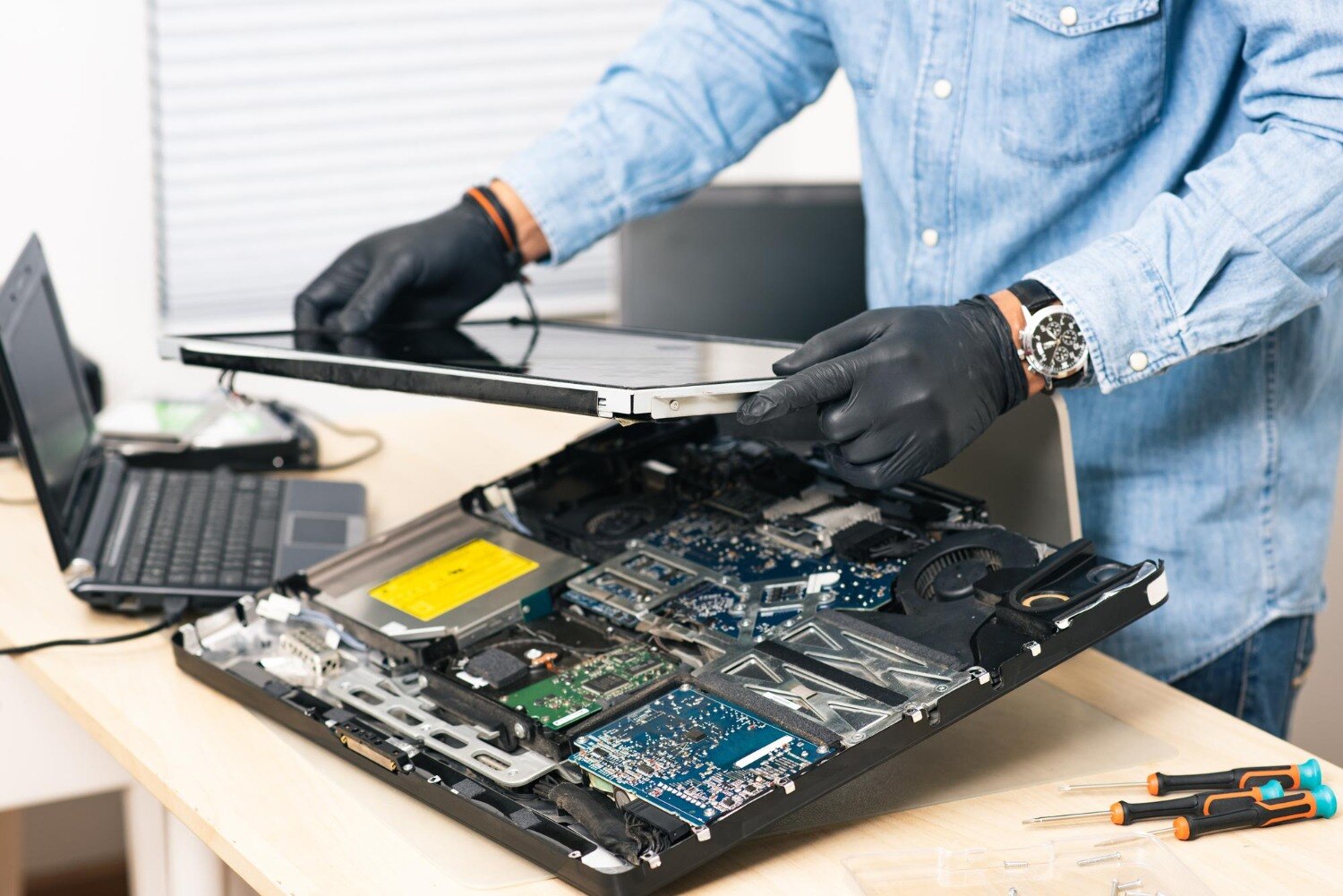
A slow laptop, blank screen, charging problem, or sudden shutdown does not identify the failed part by itself. By checking the symptom, total repair cost, hardware limits, data risks, and future software needs, you can decide whether to repair your laptop or replace it with much less guesswork.
Key takeaways
- Request a written diagnosis naming the failed component before approving work.
- Compare repair cost with replacement cost, data transfer, setup, and downtime.
- Replace the laptop when repair cost approaches its current working value.
- Test charging, display, storage, memory, and battery symptoms before visiting a PCMC service centre.
Why diagnosis can prevent a premature laptop replacement
A proper diagnosis separates a failed component from a failed laptop by testing each major path independently. A cracked screen, for example, does not prove that the graphics system or motherboard has failed: a normal image on an external monitor points towards the panel, display cable, hinge damage, or backlight circuit.
The symptom alone is not enough. “No display” can come from the screen, RAM, graphics circuit, charger, battery, or a power rail, so laptop troubleshooting PCMC should follow controlled tests before anyone orders parts.
- Test with a known-good charger and check charging indicators.
- Connect an external monitor to compare internal and external video output.
- Interpret POST lights or beep codes for memory and hardware faults.
- Run memory and storage diagnostics to identify faulty RAM or an SSD.
- Inspect ports, hinges, cooling vents, and the battery for physical damage.
This process shows whether the repair needs a screen, keyboard, SSD, battery, charging jack, or cooling service rather than a complete replacement. Laptop repair services in PCMC can therefore cost less because they target the failed part instead of replacing working components.
Treat liquid damage and a swollen battery differently. Disconnect power and stop repeated start-up attempts after a spill; corrosion can worsen even if the laptop still turns on. A raised touchpad or separating case requires safe battery replacement, while board-level faults need a written distinction between component repair, board replacement, and no-fix diagnostic charges.
Compare the real cost of repair with the real cost of replacement
Compare the repair invoice with the full cost of starting over. A replacement includes the new laptop, data migration, software reinstallation, accessories, setup time, disposal, and the value of losing a familiar keyboard, files, settings, and workflow.
| Cost or loss | Repair | Replacement |
|---|---|---|
| Immediate spending | Diagnosis, labour, parts, and possible data recovery | Laptop, charger, warranty extension, and accessories |
| Data and software | Existing files and applications stay available if the drive is healthy | Migration, licences, downloads, passwords, and BitLocker recovery-key access |
| Downtime | Time waiting for parts and testing | Shopping, setup, updates, transfers, and troubleshooting |
| Future value | Worthwhile if the processor, motherboard, display, and chassis remain sound | Better if the old machine has repeated faults or cannot run required software |
| Environmental cost | Extends the useful life of existing hardware | Adds manufacturing, packaging, and disposal impact |
Ask whether the estimate includes a failed SSD, battery, charging port, keyboard, hinge, or cooling repair. Storage replacement is not data recovery: have the old drive checked and cloned or imaged before authorising it. A swollen battery needs immediate safe replacement, not continued use.
Before choosing an affordable laptop repair pcmc option, compare the repair total with the replacement model’s processor generation, supported operating system, RAM limit, storage type, battery condition, and display quality. Repair loses its advantage when several major parts need work, the motherboard is failing, or the replacement cost buys substantially longer support.
Which faults are usually repairable, and when replacement makes sense
A failed SSD, worn battery, broken keyboard, damaged charging port, faulty RAM, cracked hinge, or blocked cooling system does not usually mean replacing the laptop.
A cracked screen also remains a part-level repair if an external monitor shows a normal image; the panel, display cable, hinge, or backlight path is then more suspect than the graphics system.
A laptop repair pcmc assessment should match the symptom to the failed part:
| Option | What it means | When it applies |
|---|---|---|
| Repair | Replace a modular part or clean and test the cooling system | One SSD, battery, keyboard, fan, hinge, port, or screen has failed |
| Board repair | Repair a charging circuit, MOSFET, USB circuit, or power rail | Schematics and component-level expertise are available; the quote states the warranty and no-fix charge |
| Replace | Buy another computer and migrate your data and software | Several major parts need work, or the machine cannot run required software |
A drive that passes SMART is not automatically safe. Freezing, I/O errors, file-read failures, or a disappearing drive still justify backup and deeper testing. RAM upgrades also depend on the exact model: SO-DIMM slots can be upgradeable, while soldered LPDDR cannot.
Replacement makes sense when the motherboard, display, battery, and storage all need major work, failures keep returning, battery health is poor, RAM cannot meet your workload, the processor is too old, or the operating system no longer supports the software you need. Include data migration, accessories, setup time, downtime, and disposal in the comparison.
Run these checks before authorising work in PCMC
Record the symptom before you approve any part. Good laptop troubleshooting PCMC begins with evidence: the exact failure, when it started, recent drops or spills, error messages, and whether the problem changes on battery power or the charger.
- Photograph the laptop’s model label and note the processor, installed RAM, Windows version, and serial number. Record whether it reaches the manufacturer logo, shows LED or beep codes, freezes, or shuts down.
- Test with the correct known-good charger if available. Note charging lights, battery percentage, loose-port behaviour, fan noise, unusual heat, and whether the laptop works only while plugged in.
- Connect a television or monitor through HDMI or USB-C. A normal external image points toward the panel, backlight, cable, or hinges; failure on both screens shifts attention to memory, graphics, or power circuits.
- Run the built-in memory test and storage diagnostic. Record drive warnings, disappearing drives, freezing, file-read errors, and SMART results; a passing SMART result does not prove that your data is safe.
- Back up important files and locate the BitLocker recovery key before authorising storage or motherboard work. If liquid entered the laptop, disconnect power and stop testing—repeated starts can worsen corrosion.
Give these notes, photos, and error codes to laptop repair services in PCMC. They can then test the suspected circuit, confirm whether a screen, cable, battery, SSD, or board is actually at fault, and order only the necessary part.
What to ask a PCMC laptop service centre before approving repair
Before approving work, ask for a written diagnosis tied to your exact laptop model, not a generic “motherboard issue” or “service required.” A pcmc laptop service center should identify the failed part, tests performed, proposed repair, expected result, and what remains untested.
Request these details:
- An itemised quote separating labour, parts, taxes, data transfer, and any no-fix diagnostic charge.
- The part’s make, model, capacity, and warranty period; for RAM, confirm whether your laptop uses replaceable SO-DIMMs or soldered LPDDR and state the supported maximum.
- For overheating, record measured temperatures, fan operation, and whether cleaning—not automatic thermal-paste replacement—is the recommended remedy.
- For board-level work, distinguish component repair from complete board replacement and state the risk of hidden liquid or multilayer-board damage.
- The promised completion date, parts lead time, data-protection procedure, and conditions that could increase the quote.
| Written detail | What it helps you compare | Warning sign |
|---|---|---|
| Screen fault test | Panel, cable, hinge, or graphics diagnosis; an external-monitor result matters | “Replace the laptop” without display testing |
| Storage plan | Whether the old drive will be checked, cloned, or only replaced; locate your BitLocker recovery key | No data-preservation answer |
| Warranty and no-fix terms | Repair quality, comeback risk, and your maximum cost | Verbal-only promises |
Laptop Plus - Complete Laptop Service & Rental is worth asking for this level of separation when comparing affordable laptop repair pcmc options. A precise quote shows whether you are paying for a repairable module or taking a bigger board-level risk.
Related products
LAPTOP REPAIRING Committed to giving our clients, a solution that best fits their needs, the laptop repairs at Laptop+ are Fast, Reliable and Expert. View product → |
Laptop Servicing Thorough exterior and interior cleaning for optimal performance. Dust and debris removal from vents and cooling fans. View product → |
Frequently asked questions
How can diagnosis prevent premature laptop replacement?
Testing each major path independently can identify a failed screen, cable, battery, storage drive, or other component instead of treating the whole laptop as failed.
How should you compare laptop repair with replacement?
Compare the full repair bill with a replacement laptop’s purchase price, data transfer, software setup, accessories, and downtime.
Which laptop faults are usually repairable?
Cracked screens, failed batteries, damaged charging ports, faulty storage drives, memory problems, overheating, and keyboard faults are often repairable when compatible parts are available.
When does replacing a laptop make more sense?
Replacement makes more sense when the motherboard has extensive damage, essential parts are unavailable, performance remains inadequate, or repair cost approaches the laptop’s current working value.
What should you ask a PCMC laptop service centre before approving repair?
Ask for the diagnosis, failed-part name, repair price, part quality, turnaround time, warranty period, data-safety process, and charges if you decline the repair.
Keywords