
The right choice depends on how quickly you need a working computer, how long you will use it, what has failed, and how much your files and software setup matter. By comparing downtime, repair risk, rental obligations, hardware suitability, and data privacy, you can choose repair, rental, replacement, or borrowing with fewer surprises.
Key takeaways
- Rent when you need a working laptop immediately for a short, fixed period.
- Repair when the fault is diagnosed, your files matter, and you need the laptop long term.
- Compare total costs: repair, rental fees, deposit, transport, software, and downtime.
- Borrowing suits trusted short-term use, but confirm compatibility, privacy, and return terms.
Should You Repair, Rent, Replace, or Borrow?
Ask “should i repair or rent a laptop” by checking five facts: how serious the fault is, how quickly you need a working device, how long you will use it, what you can spend, and whether your files and configuration must stay intact.
| Option | Choose it when | Trade-off |
|---|---|---|
| Repair | The laptop is familiar, the fault is a replaceable component, the quote is affordable, and you need its files, applications, settings, accessories, or specialised configuration. | Ownership remains yours, but diagnosis and parts consume time. |
| Rent | You need a working machine immediately for a definite short period: travel, an examination, training, an event, a temporary work gap, business continuity during repair, or a short-term staff increase. | You gain access quickly but accept a return deadline, deposit, usage rules, and contract obligations. |
| Replace | Several unrelated faults exist; hardware is obsolete; overheating keeps returning; parts are unavailable; liquid damage is severe; or the repair estimate approaches the cost of a dependable replacement. | You spend more upfront but reduce repeated repair delays and compatibility problems. |
| Borrow | The emergency lasts only a very short time and the borrowed laptop runs the required software. | It costs less, but privacy, account access, performance, and availability depend on the owner. |
Choose repair for months or years of use when the machine still meets your workload. Choose rental when time-to-use matters more than ownership. Back up sensitive data before either option, and accept borrowing only when its privacy trade-off is safe.
Compare the Real Cost Over One Week, One Month, and Several Months
A fair laptop rental services comparison adds every cost, not just the advertised rate. Compare the repair bill plus the value of unavailable work or missed deadlines against the complete rental total.
| Period | Repair side | Rental side |
|---|---|---|
| One week | Repair cost plus paid downtime | Rental fees, security deposit or card pre-authorisation, delivery and pickup, damage-waiver or insurance charges, setup, and data transfer |
| One month | Repair cost plus all downtime until collection | All rental charges, extension terms, support, and late-return risk |
| Several months | Repair cost plus downtime over the expected ownership period | Every rental payment, extension, transport, and return charge |
Ask for a written total at all three points. Confirm whether the rental price covers the charger, operating system, permitted software, carry bag, technical support, delivery, pickup, and replacement after breakdown. A low weekly rate can exceed a one-time repair cost quickly when the repaired laptop should remain useful for years.
Price the effort as well. Repair usually involves dropping off and collecting one device; rental involves configuring it, transferring data, monitoring the agreement, extending it, returning it, and checking that personal accounts and files are removed.
- Add the hourly value of unavailable work, missed deadlines, or cancelled appointments to the repair calculation.
- Ask what happens if the repair runs late or the rental device fails.
- Include missing-accessory, late-return, and data-left-on-device charges before choosing.
When Is Laptop Repair Instead of Rental Worth the Risk?
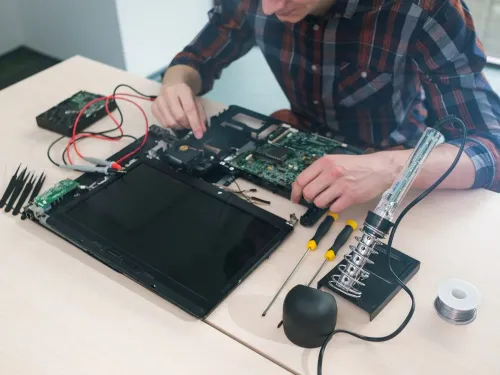
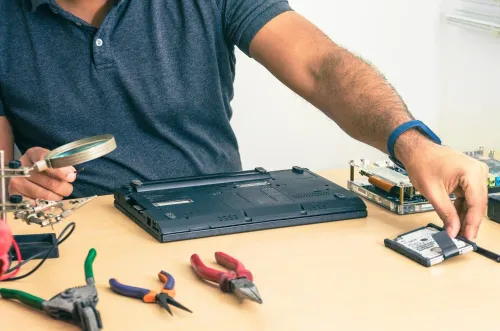
A laptop repair instead of rental is worth the risk when one replaceable part causes the failure, the laptop otherwise meets your needs, and you expect to use it for months or years.
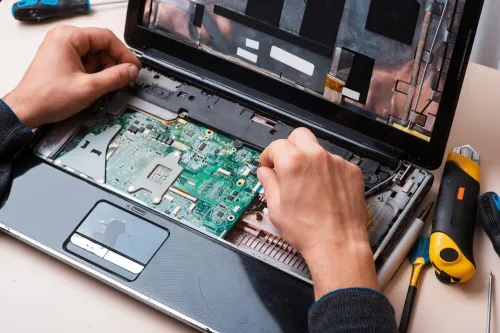
Battery, keyboard, fan, DC-in jack, or storage-drive replacement can restore operation; adding RAM or an SSD improves speed but does not fix an unrelated fault.
Repair becomes a weak bet when the diagnosis points to:
- A failed motherboard, intermittent fault, severe liquid damage, or non-repairable chassis.
- Recurring overheating, a proprietary display-assembly failure, or an obsolete processor.
- Unavailable parts, repeated “waiting for parts” delays, or a quotation near the price of a dependable replacement.
Before approval, request these details in writing:
- The failed component, diagnostic fee, whether that fee is credited against repair, and what happens if you decline.
- Part availability, replacement-part warranty, repair-work warranty, and the testing included.
- Who performs diagnosis, whether disassembly is required, when parts will arrive, and the firm completion date.
- Whether you must back up files first and whether BitLocker or another recovery key is available. A motherboard, firmware, or drive change can trigger encryption recovery, leaving files inaccessible without the key.
A provisional estimate is normal because disassembly can reveal damaged connectors or liquid corrosion. Approve only after the shop explains the worst-case cost and delay; otherwise, rental may protect an urgent deadline while a repairable laptop is being assessed.
When Does Renting Beat Repair for a Temporary Need?
Renting beats repair when you need a working laptop for a short, definite period, or while a repair centre holds your own machine.
Confirm the device will run your workload before paying: processor generation, RAM, SSD capacity, screen size, battery condition, ports, webcam, graphics capability, operating-system version, administrator rights, local virtual machines, hardware security keys, specialist drivers, and required software compatibility.
| Period | Ask what the agreement includes | Check before extending |
|---|---|---|
| Daily | Charger, software, support, delivery and pickup | Whether another day costs the same rate |
| Weekly | Accessories, damage cover and replacement terms | Whether a second week triggers a new minimum |
| Monthly | Deposit, maintenance and permitted use | Whether renewal is prorated or charged for a full month |
| Long-term | Warranty, upgrades and cancellation terms | Whether ownership or buyout becomes better value |
A laptop rental services comparison must include more than the advertised rate. Ask about security deposits, identity documents, physical-damage liability, late-return charges, loss or theft responsibility, breakdown replacement, delivery, pickup, and reset requirements. Renting is weaker for long-term ownership, sensitive workloads, strict configurations, or software blocked on a managed device.
Protect your data before transfer: back up files, sign out before return, remove saved passwords and personal data, revoke account sessions, and follow the provider’s reset procedure. Confirm secure sanitisation; ordinary deletion is not enough. If the contract or hardware fails these checks, repair remains the safer choice.
Use This Decision Checklist Before You Commit
For “should i repair or rent a laptop,” use this flowchart before paying:
| Situation | Best next step | Check before deciding |
|---|---|---|
| Usable except for a replaceable part; needed for months or years | Get a written repair estimate | Part cost, warranty, and usable performance |
| Need a machine today; repair date uncertain | Rent or borrow temporarily | Delivery time, software access, and return terms |
| Severe liquid damage, failed motherboard, recurring faults, or unavailable parts | Compare replacement with rental | Total cost and reliable parts availability |
| Need ends within a known short period | Compare rental total with downtime value | Daily, weekly, or monthly total |
For Pune users, include pickup or drop-off time, traffic, delivery lead time, and whether you need a temporary laptop while yours sits at a repair centre. Laptop repairing or laptop rental services should be compared on access to your work, not just the quoted fee.
Laptop Plus - Complete Laptop Service & Rental can be considered alongside other local options if its written terms answer these questions:
- What diagnosis was made, which part is available, and when will the repair be completed?
- What repair warranty applies, and what happens if you decline after diagnosis?
- How long is the rental, and what accessories, deposit, delivery, pickup, and return rules apply?
Compare usable performance and data access, not age or monthly price alone.
Related products
LAPTOP REPAIRING Committed to giving our clients, a solution that best fits their needs, the laptop repairs at Laptop+ are Fast, Reliable and Expert. View product → |
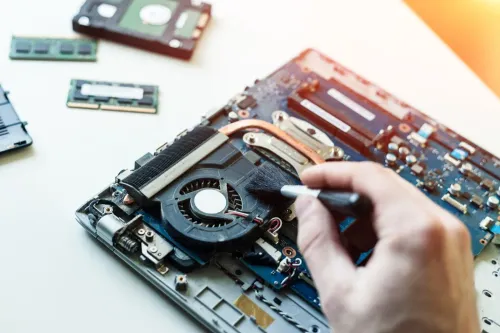
Laptop Servicing Thorough exterior and interior cleaning for optimal performance. Dust and debris removal from vents and cooling fans. View product → |
Frequently asked questions
Should you repair or rent a laptop?
Choose by comparing fault severity, urgency, usage period, budget, and whether your files and configuration must remain intact.
When is laptop repair instead of rental worth the risk?
Repair is worth considering when the fault has a clear diagnosis, the laptop meets your needs, and you will use it beyond the repair period.
When does renting beat repair for a temporary need?
Renting beats repair when you need a working device immediately for a short, defined period or when repair timing is uncertain.
What costs should you compare before choosing laptop repairing or laptop rental services?
Compare the repair estimate or rental fees with deposits, accessories, software, transport, data transfer, downtime, and return charges.
Keywords