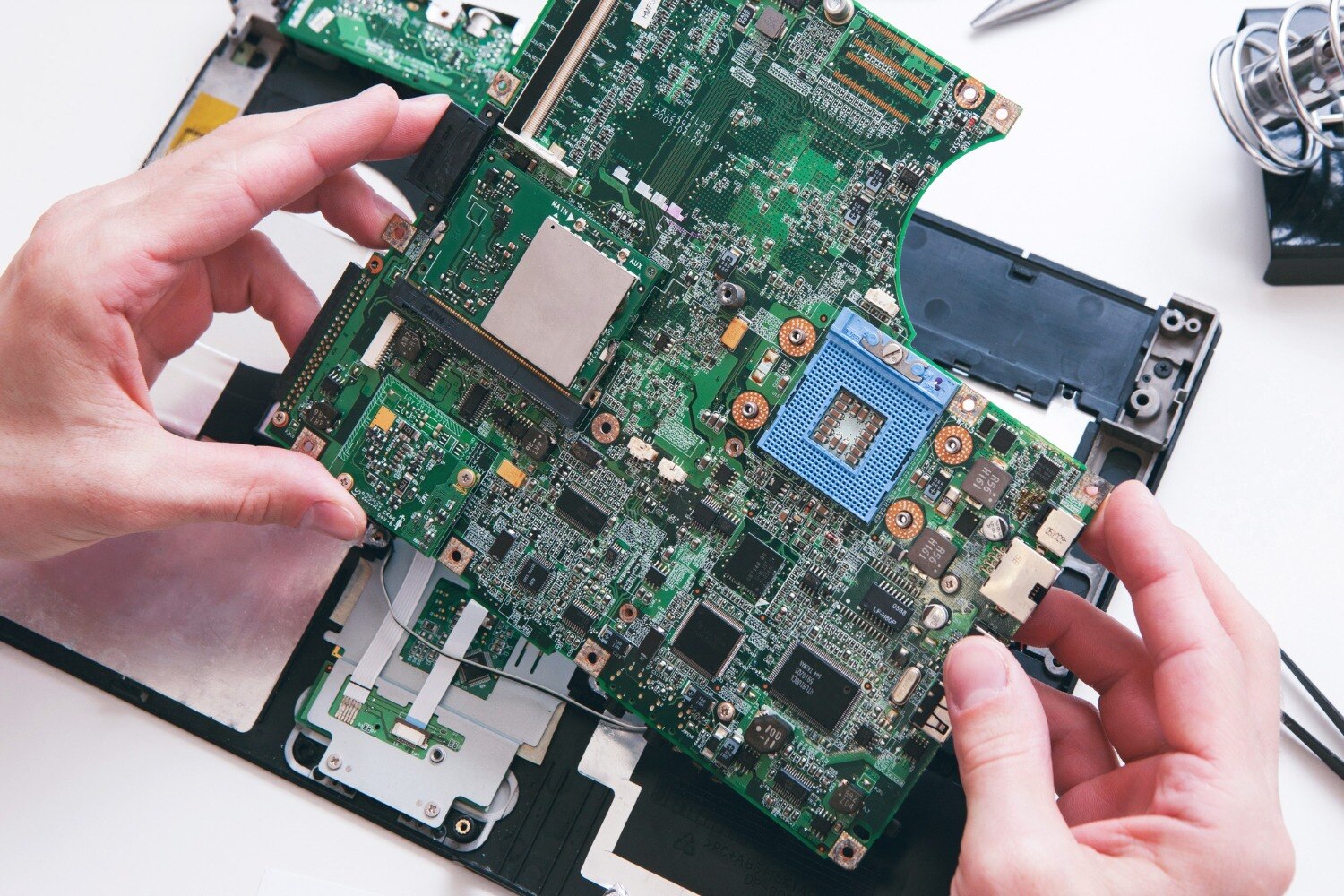
A laptop that will not start may have a failed charging circuit, a flat battery, faulty RAM, a damaged screen, corrupted BIOS, or a Windows problem—not necessarily a dead motherboard. You will learn how to classify the symptom, perform safe checks, evaluate a technician’s evidence, compare repair choices, and hand over the machine without losing control of your data.
Key takeaways
- No-power, no-POST and no-boot failures need different tests.
- Ask for measured voltages, POST results and excluded parts before approving board work.
- Compare component repair, a replacement motherboard and laptop replacement by cost and data risk.
- Back up data and test charging, display, ports, sleep and restart before collection.
Is the Laptop Really Dead, or Is It Failing at a Later Startup Stage?
A laptop is not automatically dead: classify the failure before approving motherboard work. No-power means no LED, fan, or response. No-POST means the machine powers on but cannot initialise hardware. No-boot means firmware runs, but the operating system does not load.
No-display means the laptop may be running while the panel, cable, or backlight has failed.
Record the visible pattern, not just “dead”:
- Note a missing charging light, no fan spin, a brief power light followed by shutdown, a black screen with fan activity, repeated restart loops, or a manufacturer logo that never advances.
- Test a known-good charger with the laptop’s correct voltage and connector. Remove USB devices and memory cards.
- Try starting without the battery when the model permits it. Record LED blink codes or beep codes, and note whether the fan spins continuously, briefly, or not at all.
- Connect an external monitor. An image there points towards the laptop panel, display cable, or backlight rather than a completely dead board.
- Stop applying power after liquid exposure, a burning smell, or a suspected short. Repeated attempts can worsen damage.
A laptop startup repair Balewadi enquiry becomes far more useful when you provide these observations, the failure’s timing, and any recent drop, overheating, charger event, or spill. That evidence helps separate a power fault from RAM, storage, firmware, Windows, overheating, or display failure before disassembly.
How Do You Separate a Motherboard Power Fault from RAM, Storage, Display, or Windows Failure?
Start with the last point the laptop reaches, not the assumption that the board has failed. For a laptop motherboard repair Balewadi request, use this decision path:
- No charging indicator, fan spin, or response points to the power path: failed charger, damaged DC-in jack, battery protection circuit, input fuse, reverse-polarity protection, MOSFET, charging IC, embedded controller, shorted capacitor, or damaged USB power rail.
- Power lights with no hardware initialisation points to no-POST. Reseat or test the RAM; loose or failed memory can stop startup before Windows appears.
- A manufacturer logo followed by a freeze, restart loop, or “no boot device” message points to storage or boot data. A failed SSD cannot be repaired by Windows Startup Repair.
- Fan activity with a black internal screen calls for an external-display test. A damaged display cable, panel, or backlight can create no-display symptoms while the laptop runs.
- Windows Startup Repair can address damaged system files, boot configuration, incompatible drivers, and registry errors. It cannot repair a failed board, dead SSD, corrupted BIOS, or electrical short.
- Shutdown during heavy use suggests overheating; cleaning vents and fans can reduce that symptom, but cannot repair a charging circuit or shorted component.
Ask whether the charging light works, the fan spins, an external display shows an image, diagnostic LEDs appear, and when the failure began. Liquid residue, corrosion, a drop, or a charger event supports motherboard damage; BIOS corruption points to firmware. Avoid repeated power attempts after liquid exposure.
What Evidence Should a Technician Produce Before Calling the Motherboard Defective?
1. Record the exact model, board revision, firmware version, symptom, and failure timeline. Note whether a BIOS or embedded-controller update failed; the wrong recovery file can make a working board unbootable.
2. Test a known-good, correctly rated charger, measure adapter voltage, and inspect the plug, DC-in jack, fuse, MOSFETs, charging IC, and input rail. Adapter voltage alone proves only that the charger produces voltage; it does not prove that power reaches the board.
3. Isolate the battery where the design permits it, observe current draw, and measure resistance or voltage on relevant rails. Repeatedly powering a liquid-exposed or shorted board can worsen damage.
4. Inspect under magnification for corrosion, burnt components, cracked solder joints, and a shorted capacitor. Attempt only the model-specific BIOS recovery procedure, then isolate RAM and test with known-good charger, memory, display, battery, and storage parts.
Ask for the failed component or rail, its measured result, and the alternatives ruled out. A connector, fuse, MOSFET, charging IC, BIOS flash chip, or shorted capacitor can support chip-level repair; processor, chipset, multilayer-board damage, or extensive corrosion may favour board replacement.
Red flags include a quote saying only “motherboard issue,” replacement advice without RAM or charger testing, no written symptom record, pressure to approve immediately, or no explanation of chip-level repair versus replacement. For any laptop power fault Balewadi enquiry, request those findings in writing.
Should You Choose Component Repair, a Replacement Board, or Another Laptop?
Component repair is usually the best first comparison because it can preserve the original board, working CPU, storage, Windows installation, and personal data. A replacement board may reduce diagnostic uncertainty, while another laptop removes board failure from the decision entirely.
| Option | Data risk | Time, parts, warranty, and value |
|---|---|---|
| Component-level repair | Lowest if the SSD remains untouched; back up first and keep the BitLocker recovery key available. | Can take longer when chips or schematics are unavailable. Ask which component failed and what repeat-failure warranty applies. Best value when the laptop is otherwise sound. |
| Replacement board | The SSD can remain, but Windows activation, BitLocker, fingerprint login, and device encryption may need attention. | Often faster and more predictable. Confirm whether the board is new, refurbished, or used, and whether the exact model and board revision match. Older machines lose value quickly if the board is costly. |
| Another laptop | Lets you transfer or recover data separately, but migration takes work and compatibility checks. | Sensible when the board price approaches the laptop’s value, parts are unavailable, or reliability matters more than preserving the device. |
Choose component repair less readily when corrosion is widespread, the board has repeated prior rework, or the processor or chipset is damaged. A laptop for motherboard repair services in Balewadi can mean either board-level repair or replacement sourcing, so compare like with like.
For a laptop motherboard repair balewadi enquiry, Laptop Plus - Complete Laptop Service & Rental is one local provider to ask about gaming laptops, ultrabooks, USB-C charging models, business laptops, and liquid-damaged boards. Confirm acceptance, hours, address, pickup, and turnaround before visiting.
Related product
LAPTOP REPAIRING Committed to giving our clients, a solution that best fits their needs, the laptop repairs at Laptop+ are Fast, Reliable and Expert. View product → |
What Should You Protect, Ask, and Test Before Collecting the Laptop?
Before collecting the laptop, create a written handover record and protect your data.
For a laptop startup repair Balewadi job or laptop power fault Balewadi diagnosis, record the model and serial numbers, charger, failure timeline, liquid exposure, recent drops, burning smell, LED behaviour, fan response, visible damage, accessories received, diagnostic fee, approval limit, estimated turnaround, and the laptop’s condition.
1. Back up files before service. If it will not boot, remove the SSD only with professional guidance, or ask whether data can be copied separately. Provide the BitLocker recovery key and state whether the technician may sign in, use a temporary test account, or access personal files.
2. Ask whether diagnosis is chargeable and whether the quote separately covers diagnosis, chip-level repair, board replacement, data recovery, and post-repair testing. Confirm whether the original board will be returned and what warranty covers a repeat failure.
3. Carry the correct charger, wait for inspection, approve work only after evidence is supplied, and allow time for a return visit if post-repair testing is incomplete.
Before collection, require cold boots and restarts, battery and adapter charging, sleep and wake, keyboard and display output, USB and network tests, storage detection, battery charging, and thermal checks. Ask for results in writing. A single successful bench boot does not prove an intermittent fault is fixed.
A proper handover may take longer, but it prevents disputes about damage, access, and approval.
Frequently asked questions
How can you tell whether a laptop is dead or failing later during startup?
No-power means there is no LED, fan or response. No-POST means the laptop powers on but cannot initialise hardware. No-boot means firmware runs but Windows or another operating system does not load.
How do you separate a motherboard power fault from RAM, storage, display or Windows failure?
Test the charger, battery, charging circuit, RAM, external display, storage device and firmware startup separately. A motherboard power fault remains after known-good compatible parts and basic display checks are excluded.
What evidence should a technician provide before declaring the motherboard defective?
Request the observed symptoms, charging and standby voltage measurements, POST behaviour, diagnostic codes, test results with known-good RAM or charger, and a written explanation of what the tests ruled out.
Should you choose component repair, a replacement motherboard or another laptop?
Choose component repair when the fault is identifiable and the board is serviceable. Compare a replacement board's total cost, warranty and availability with the laptop's value, age, performance and data-recovery risk before approving it.
What should you check before collecting a repaired laptop?
Protect your data, confirm the repair scope and warranty, then test charging, battery operation, startup, restart, sleep, display, keyboard, ports, Wi-Fi, storage and any issue reported originally.
Keywords